
A BlueCat DDI evaluation can show how an administrator views DNS and DHCP settings. An operations buyer also needs to see what the next shift can discover after a change, who can approve a correction and which evidence remains available. Use a normal change in a representative test environment to see how the handoff works. Ask each vendor to document the scope, actions and observations for the same exercise.
Start with the change record
Select one routine change that your operations team expects to make regularly. It may be a DNS record update for an application or a change to a DHCP option in a test scope. Pick a change that has an obvious expected result and an owner. Ask the person requesting it to supply the name or scope, the intended value, the requested window and the person responsible for acceptance.
For a BlueCat evaluation, note the version and components the demonstration uses before writing the steps. The BlueCat Address Manager administration guide shows how a documented product version presents DNS and DHCP service configurations. Check with the provider whether that reference applies to the environment offered in your evaluation. Ask the same version and scope questions of other vendors.
Keep the first exercise ordinary. The point is to see whether the proposed operating model supports the work your team already does. A complex demonstration can make it difficult to tell whether a gap belongs to an unusual scenario, a particular feature or the handoff between roles.
Separate the planned change from the observed result
Have the requester state the expected result in the terms that an operator can check. For a DNS example, write the record name, type, intended answer and network view where relevant. If the scope is a DHCP option, state the expected option and which representative client or scope it applies to. Define the evidence required from the management interface and the evidence required from a test client.
In a BlueCat or other DDI evaluation, a saved setting and an observed service answer belong in different fields. A management view can show what someone intended to manage or deploy. A test client can show which answer or option it received under the selected conditions. The exercise should give staff a way to capture the difference if the two results do not agree.
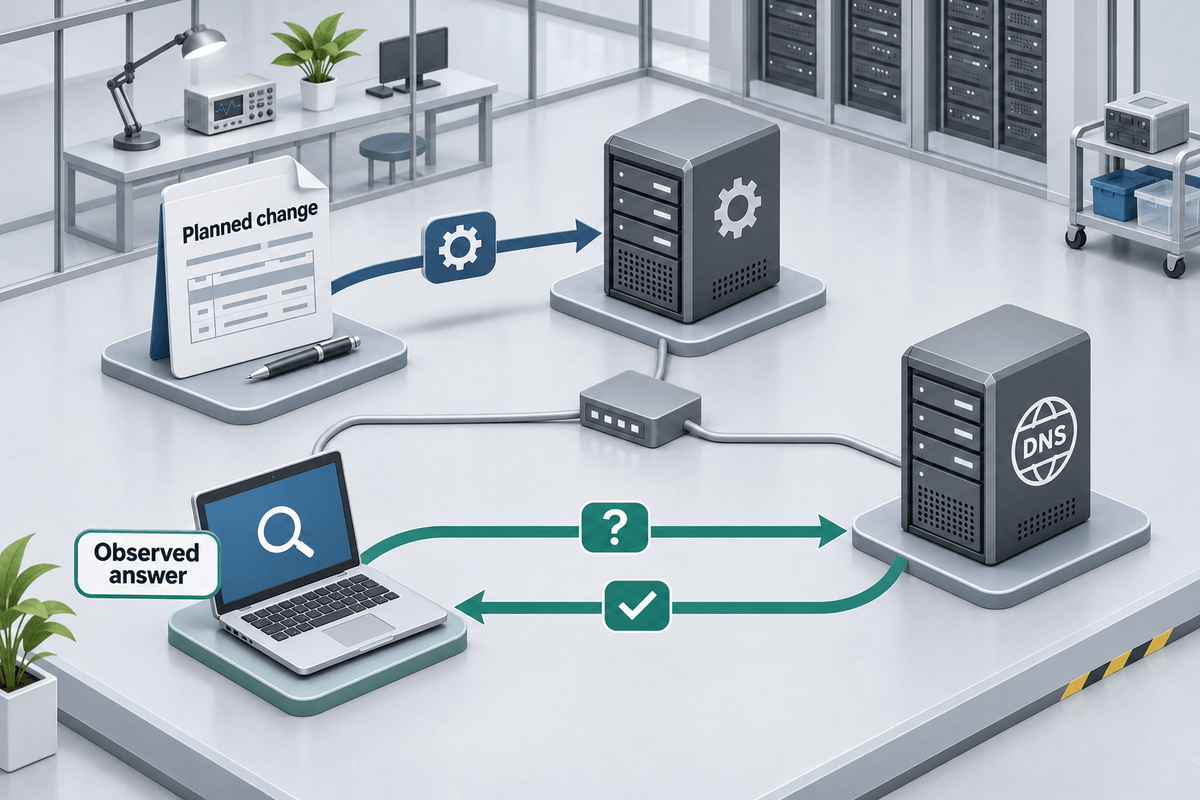
Repeat that check from a second approved location where your design calls for a distinct answer or configuration. Note the time, selected scope or view and who made the observation. If the difference is expected, keep it as a positive test case. If it is unexpected, record the unresolved item and who can help trace it. That makes the result useful to an operator who was not present at the demonstration.
Walk through the next-shift handoff
Ask one person to make the approved change and another to review it after the exercise. Give the reviewer the ticket reference and the intended result. Have them find the corresponding object and any available history using the access level planned for their job. This approach places authorization and usability inside the same practical test without assuming that one role needs access to every administrative function.
For the BlueCat test record, capture the steps the reviewer could complete with that role. Record which details, such as time, request owner, affected object or evidence of deployment, were visible where the team expected them. If a detail required a separate system, mark the destination and what identifier connects the records. The result should say whether the process works for your team with the proposed deployment.

Ask the reviewer to explain the result in a short handoff note. A useful note identifies what was requested, which environment changed and what was observed. It includes the next owner when the result is unclear. Compare that note to the original record to see what could be reconstructed from evidence available after the change.
Review correction and recovery as separate steps
Agree on a representative correction before starting the test. In a fictional example, a planned DNS answer is published to the test view but needs to be returned to its previous value. Keep the previous value in the change record and identify the person who can approve restoration. Compare the management state and the test client result after the approved correction. Write down any delay or condition that changes what a particular client observes.

During a BlueCat evaluation, discuss how your team will restore the intended state under the proposed configuration. Ask the provider to show the documented workflow for the version and operating role in scope. Review what still needs to happen in the ticketing system, at the service layer or with the business owner after the correction. The same acceptance questions can be used for another DDI provider.
If the record shows an incorrect value and a corrected value, keep both with the times and owners. A handoff should let someone explain the change even after the current configuration looks normal. The reviewer should be able to tell which observations belong to the correction and which belong to the original request.
Compare vendors using the evidence you asked for
A vendor comparison works best when each provider receives the same required outcomes. Use lines for the proposed version, operation scope, expected result, observed result, review role, and correction evidence. Give vendors a way to document prerequisites and implementation limits. Where they offer a different workflow, ask how the same responsible person obtains the same evidence.
The ZDNS enterprise DDI overview gives a starting point for a DNS, DHCP and IPAM discussion. Share the exercise, expected controls and required operational evidence with the proposed suppliers. Keep the test small enough to repeat while the responsible people still remember what they saw. The output should help your team compare how a change would be approved, observed, reviewed and corrected in its own operating model.
Turn the result into a short buyer record
Count a BlueCat test as repeatable when a reviewer can reconstruct the ordinary change without asking the original demonstrator what happened. Keep the expected result, the observed evidence and the reviewer’s role together. Put unresolved questions beside the exact version and configuration tested so an answer can be checked at the next review.
In a BlueCat comparison, identify where the vendor’s evidence ends and where your ticketing or monitoring evidence begins. Assign the owner of each record. A BlueCat or ZDNS follow-up should then address a specific gap in the handoff that your team can reproduce.
Common questions about a BlueCat DDI evaluation
Is a walkthrough enough to check a change handoff?
Use a walkthrough to learn where the vendor keeps information. Then have an operator in your intended review role retrieve the result using only the handoff details. Record what they can locate and which other systems they need. This gives the team evidence about the proposed workflow in practice.
Should each vendor follow the same interface steps?
Give each vendor the same use case and acceptance goals. The interface may differ. Ask every vendor to name the responsible role and show where the same required evidence is collected. Preserve deployment prerequisites in the test record so a successful result can be interpreted in context.
What if the offered configuration differs from the demonstration?
Record those differences next to the affected result. Ask which checks should be repeated with the proposed version or deployment. Keep features, customer configuration and external systems identifiable in the record. That helps the team see which part of a successful handoff depends on the tested configuration.
Use the BlueCat evaluation to see how a normal change becomes an auditable handoff. Bring the same test and evidence requirements to your ZDNS discussion so your team can compare the proposed operating models on the work it will perform.