
An address inventory often starts with a spreadsheet that lists a subnet, a device and an owner. A dual-stack environment tests the assumptions behind that design. One service can have an IPv4 address and several IPv6 addresses. Some addresses are relevant only on a particular link. Some observations change over time. A useful inventory keeps those relationships visible instead of treating every address as a different device.
An IPv4 vs IPv6 comparison for an operations team should answer two questions. What needs to change in the data model, and what should an operator be able to verify from the new records? Start with those questions before changing the address plan or asking a product to consolidate existing records.

Illustrative inventory relationships, not a ZDNS interface screenshot. Verify asset associations and retain address-family, source, time and scope context. Click image to enlarge.
Separate the asset from the address
IPv4 addresses are 32 bits. IPv6 addresses are 128 bits, as specified in RFC 8200. The familiar dotted-decimal IPv4 notation and the hexadecimal IPv6 notation affect data entry and display. The larger operational difference is that an asset can be associated with more than one address at a time. An application, an interface and an address each need their own identity in the inventory.
In an IPv4 vs IPv6 inventory, record for each observation the asset or interface when known, the address family, the address, the network context, the collection source and the observation time. An address alone often cannot tell you who owns an asset or whether it is still active. If a collector has seen an address but cannot link it to an asset, store it as an observation with an unresolved association. Assign the association later using evidence from the appropriate environment.
This helps when a hostname maps to more than one address. A DNS A record represents an IPv4 address, while an AAAA record represents an IPv6 address. A service can have both records. Treat the DNS record as a separate object from the assigned interface address so the team can record which view supplied the answer and when it was observed.
Store prefixes and scope with the address
An IPv4 vs IPv6 record is easier to interpret when the prefix and site are visible. Keep the prefix length, allocation owner, intended use and lifecycle state with the appropriate network object. Do not assume a network with the same name in two environments represents the same place or uses the same allocation policy.
For the IPv4 vs IPv6 data model, use consistent IPv6 formatting for search and display. The same IPv6 address can be written with different amounts of compression or different letter case. Normalize its representation before comparing records, while preserving the raw observation for traceability. Check that import tools preserve the entire address and prefix. A column width or validation pattern designed for IPv4 can silently omit part of an IPv6 value.
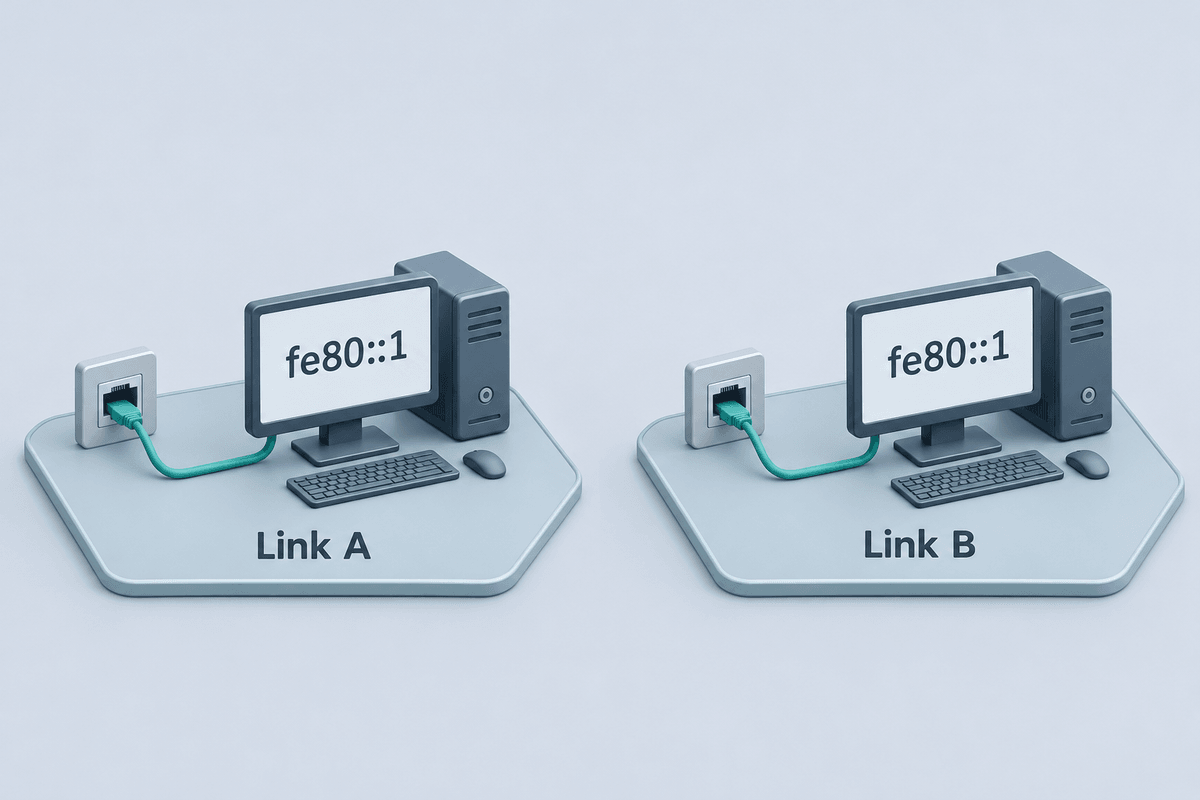
Some IPv6 addresses require an interface or link context to be useful. A link-local address, for example, is meaningful on its local link under the IPv6 scoped address architecture. If you record it, retain the relevant interface or network identifier. This makes it possible for an operator to distinguish observations that would otherwise look identical in an export.
Distinguish planned allocation from live evidence
The planned address space in an IPv4 vs IPv6 inventory answers where a network or service is intended to live. Discovery observations answer what a tool saw at a particular time. An assigned address can be missing from a scan, and a scanned address can be unknown to the planning team. Keep the planned and observed states separate so neither silently overrides the other.

IPv6 deployments can use different address assignment methods, depending on the network design. A DHCP record is valuable evidence where it applies, but it should not be the only source used to describe all IPv6 endpoints. Document the assignment methods in scope and select suitable evidence for each network. For example, note whether a record came from a managed assignment, device observation or a team-maintained service inventory.
Use an IPv4 vs IPv6 pilot to identify what each data source actually covers. Start with one network where the ownership and operating procedure are known. Compare the intended prefixes, a representative set of interface observations and the DNS records used by the services in that network. Note which records could be verified and which require a follow-up owner.
Test the questions operators will ask
The practical value of an IPv4 vs IPv6 inventory is measured by how quickly an operator can answer a question with defensible evidence. Pick a few questions for acceptance testing. Which prefixes are allocated at this site? Which addresses are associated with a particular interface? Which DNS view returned this record? Which source observed it, and how recently?
Test the same question through both address families when the service is dual stack. For a test host, compare an expected IPv4 association and an expected IPv6 association. Export the result, reimport a representative sample in a test environment and check that the family, prefix and ownership fields remain intact. If an association changes, confirm that the new observation can be recorded without losing the previous one.
Also test an unresolved case. For example, use an address observation in the pilot that has no confirmed owner. The operator should be able to see that the ownership field is unknown and record who will investigate. A blank field should not be mistaken for a validated allocation or be overwritten by the first matching hostname.
Test an export before changing the winning record
Use a repeatable set of IPv4 vs IPv6 sample records before accepting any data migration. An example set could include a service that has both address families, an unresolved observation whose owner has yet to be assigned, and two link-local observations attached to different interfaces. Record the values and expected matches in advance. After import, check that timestamps and source labels can still distinguish an old observation from a fresh one.
Use the same IPv4 vs IPv6 test to review how the system displays alternative textual forms. RFC 5952 defines a recommended representation for IPv6 text. Compare the canonical display to the original evidence and check that the original can still be found if an operator pastes it from a ticket. If export or import changes a field, confirm whether that is an expected transformation or a loss of context.
IPv4 vs IPv6 inventory questions
Which record should own the dual-stack address pair?
Use an asset, interface or service identifier that reflects what the addresses belong to. Attach the IPv4 and IPv6 records separately so each can retain its prefix, observation source and timestamp. Where a link to the asset is uncertain, preserve the observations and leave the association unresolved.
Should the inventory replace the original representation of an IPv6 address?
Keep the original text alongside a normalized representation when you need to preserve the evidence. Use the normalized form to find equivalent text representations. Retain the network or interface scope where necessary. When an operator compares records later, showing the original text can explain how an observation entered the system.
Do A and AAAA records prove an address is configured on a device?
A DNS response can show what the queried view returned for a name. Compare it with assignment or direct observation evidence before linking that address to a specific device. This distinction is especially useful when a hostname points to a shared service or a record has been intentionally preserved during a migration.
Evaluate planning and history together
ZDNS IPAM provides the product context for an address inventory discussion. Ask the product team to confirm which IPv6 planning, import, export and address history operations are supported in the proposed configuration. Compare these documented areas with the data model your team needs. Ask for a demonstration using representative prefixes and records, including cases where an asset has multiple addresses or an observation has no known owner.
Agree on the evidence that should remain available after the pilot. A useful handoff includes the planned prefixes, sample observations, the sources and timestamps used to match them, and the rules for preserving exceptions. It also records which network groups were outside the test. This gives the next team a clear starting point when the inventory is extended to another site.
If you are comparing IPv4 vs IPv6 inventory requirements for your environment, review ZDNS IPAM deployment options. Bring a sample address plan, a few representative asset records and the operational questions you need to answer. Those examples make the product discussion concrete and help define a pilot that covers both families.